What EXIF Data Reveals, and How to Remove It
Quick answer: Every JPEG your phone writes carries an EXIF block: a small database of the camera make and model, the lens, the exact date and time, often the camera body's serial number, and, if location access is on, the GPS coordinates to about a metre. Anyone who gets the original file reads all of it with free tools in seconds. Uploading to Instagram or Facebook strips it. Emailing the file, sharing a cloud link, AirDropping it, or sending it "as a document" in a chat app usually does not. The single fastest way to destroy EXIF is to screenshot the photo and send the screenshot.
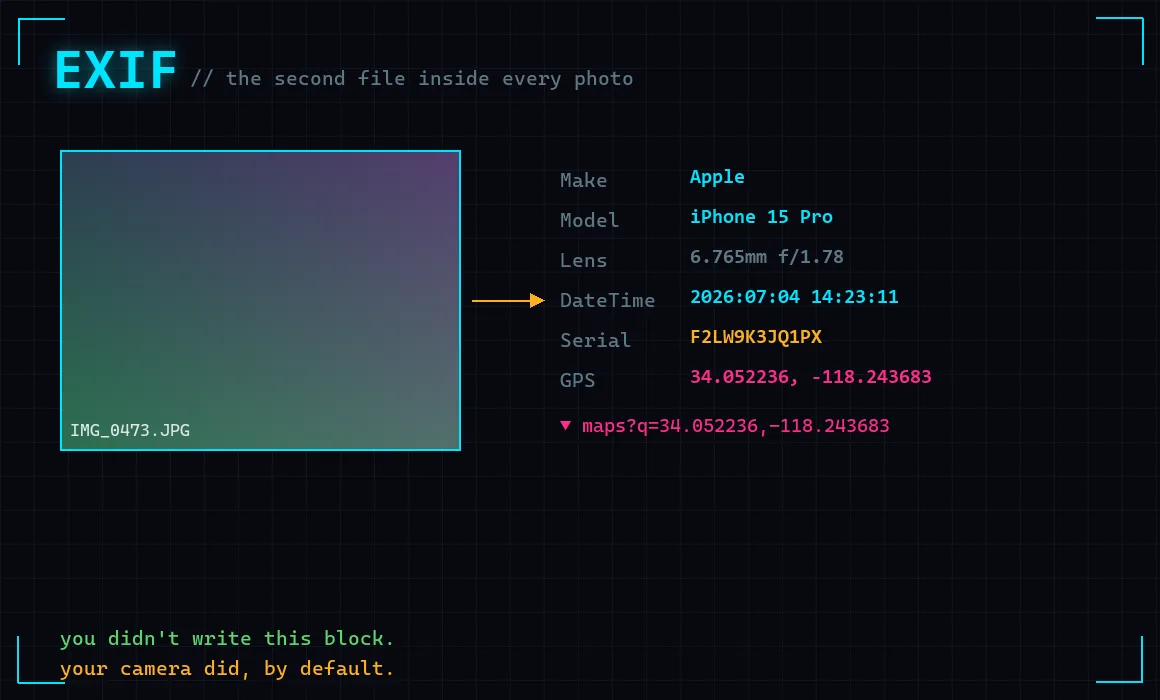
There is a second file hiding inside almost every photo you have ever sent, and you did not write it. Your camera did, automatically, the instant the shutter closed. It is not the picture. It is a structured record about the picture, and it is far more revealing than the picture itself.
The format is called EXIF, for Exchangeable Image File Format, and it has been bolted onto JPEGs since 1998. It was a good idea: a camera stamping its own settings into the file means a photographer can look back and see the shutter speed and ISO. The trouble is that phones extended "settings" to include where you were standing, and then made it the default.
This article opens a real one. Every field below came out of a file I built to carry exactly what a modern phone writes by default, then read straight back the way a stranger who receives the photo would. Nothing here needed a password, a service, or a single packet sent to anyone.
What actually comes out
Here is the whole recovery, run against a single JPEG:
$ read the EXIF block from one received photo

  device        : Apple iPhone 15 Pro (iOS 18.1)
  serial number : F2LW9K3JQ1PX
  lens          : iPhone 15 Pro back triple camera 6.765mm f/1.78
  taken at      : 2026:07:04 14:23:11
  GPS           : 34.052236, -118.243683
  map link      : https://www.google.com/maps?q=34.052236,-118.243683
Read that last line again. The coordinates are not an approximation of the city. They are a pin, accurate to roughly the width of a driveway, and the tool turned them into a clickable map link without being clever. That is a two-line calculation from numbers sitting in the file.
The coordinates in my demonstration point at a public plaza, because inventing a location is the responsible way to show this. On a real holiday photo, or a photo of a child in a back garden, that pin is the garden. The timestamp says it was 14:23:11 on the 4th of July. Put the two together and you have not just a place, but a place at a moment, which is the exact shape of information that a person who means harm wants.
The field nobody warns you about
Everyone has heard the GPS warning by now. Almost nobody talks about the line above it: serial number.
`F2LW9K3JQ1PX` is the camera body's serial, invented here but written for real by a great many cameras and some phones. It does something GPS does not. GPS tells a stranger where one photo was taken. The serial number links every photo ever taken with that device to each other.
This is not hypothetical. It is a standard move in forensics. An investigator with a photo from a known camera and a pile of anonymous photos can sort the pile by serial number and pull out every image the same body produced, tying an anonymous account back to a named person's holiday snaps. It has been used to attribute abuse imagery to a specific seized camera, and it works precisely because the field is invisible and nobody thinks to remove it.
The lesson generalises past the serial. Any stable identifier the camera writes, and there are several, turns a set of "unrelated" images into one linked collection. The individual photo feels anonymous. The set is not.
How the coordinates got in there
Your phone does not guess your location for a photo. It reads it from the same location service that powers maps, and it does so because at some point you granted the camera app location access. On iOS that is Settings, Privacy and Security, Location Services, Camera. On Android it is the camera app's own location toggle plus the OS location permission.
Set that to Never and the camera keeps working exactly as before, minus the GPS block. You lose the "Places" album that sorts photos by map. That is the entire cost, and for most people it is a good trade. The device, model, lens, and timestamp still get written, but a timestamp and a phone model are a different order of exposure from a pin on your house.
There is a subtlety worth knowing. iOS has a per-share switch. When you share a photo, tap Options at the top and there is a "Location" toggle that strips coordinates from that share only, leaving the original intact. It is genuinely useful and genuinely easy to forget, because it resets to on.
The famous own goal
The canonical case is John McAfee. In December 2012 he was a fugitive, on the run and publishing his whereabouts as "somewhere you'll never find me," while a journalist from Vice travelled with him and posted a triumphant photo captioned about being with McAfee. The photo was taken on an iPhone 4S. Its EXIF block still had the GPS. Within hours, people had read the coordinates and placed him at a specific spot in Guatemala. The metadata undid the entire performance of secrecy.
It is a clean lesson because everyone in that story was technical enough to know better and the phone did the leaking anyway. The default won.
The counterintuitive fix nobody mentions
Here is the finding I like, because it is backwards from what you would guess. I ran the same recovery against a screenshot of the photo:
--- what a stranger recovers from a screenshot of the same photo ---
  (no EXIF present)
Nothing. A screenshot is a fresh image the operating system paints from what is on the display. It has no camera, no lens, no GPS, and no serial number, because none of that ever existed for the screenshot. The pixels are copied; the hidden file is not.
So the fastest way to send a photo with no metadata, using zero tools, is to screenshot it and send the screenshot. The quality drop is real but usually invisible for a photo shared to a screen. This is not the highest-fidelity method, and it will not do for a photographer, but for "I need to send this picture and I do not want my location in it," it is instant and it is on every device you own.
Where EXIF survives, and where it dies
This is the part that matters most and is explained worst everywhere else, because the honest answer is "it depends on the pipe."
Stripped on the way in. The big social platforms remove almost all EXIF when you upload, partly for privacy and mostly to shrink files. Facebook, Instagram, and X strip location and most tags. So a photo posted publicly to those is, in this narrow respect, safer than a photo sent privately. That inversion surprises people every time.
Kept. The original file, moved as a file, keeps everything. That means:
- Email attachments.
- Cloud share links (Google Drive, Dropbox, iCloud shared link to the file).
- AirDrop.
- Chat apps when you choose "send as file" or "send as document" rather than as a photo, which is exactly what people do to preserve quality.
- Any download of the original from a site that did not process it.
The trap is that "send as document" feels like the careful, high-quality choice, and it is the one that preserves the GPS. The casual choice, posting to a feed, is the one that scrubs it. Intuition points the wrong way.
Partial. Some messengers strip on the photo path and not the file path. Some content management systems keep EXIF on the original and strip it on the resized copies, so the thumbnail is clean and the full-size download is not. You cannot assume. If it matters, remove it yourself before the file leaves your hands.
How to actually remove it
The defensible habit is to strip metadata at the source, on your own device, before sharing. Every platform has a built-in way now.
Windows. Right-click the file, Properties, Details tab, then "Remove Properties and Personal Information" at the bottom. Choose "Create a copy with all possible properties removed." This is built in, needs nothing installed, and handles a whole selected batch at once.
macOS. Preview can do a single file: open it, Tools, Show Inspector, the GPS tab has a "Remove Location Info" button. For a proper scrub of everything, the command line tool below is better.
iPhone. Share the photo, tap Options at the top, turn Location off. That removes only the coordinates, which is usually the concern. For a full strip, the Shortcuts app has a "Remove Metadata" action you can wire to a share-sheet shortcut.
Android. Google Photos, when sharing, has a "Remove location" option in the sharing settings. Coverage varies by phone; the safest general tool is again the command line.
Everything, properly: exiftool. The reference tool is Phil Harvey's `exiftool`, free and available on every platform. One command clears the lot:
exiftool -all= photo.jpg          # strip every tag, in place (keeps a backup)
exiftool -gps:all= photo.jpg      # strip only GPS, leave camera settings
exiftool -all= -overwrite_original *.jpg   # a whole folder, no backups
The first form is the one to remember. `-all=` sets all metadata to empty. It writes a `photo.jpg_original` backup unless you tell it not to, so you cannot lose the picture.
One caution: some "metadata remover" apps and websites upload your photo to their server to do the stripping, which means you have handed the file, GPS and all, to a stranger to remove the GPS. Do it locally. The built-in tools and exiftool never leave your machine.
The wider point
Notice what this whole exercise had in common with pulling codes out of the radio spectrum or reading a public certificate log: nobody attacked anything. The information walked out the door on its own, wrapped inside a file you chose to send, and all a stranger had to do was open it.
That is the theme worth internalising. A great deal of what leaks about people is not stolen. It is published, by a default nobody changed, and then merely read. The defence is not a product. It is knowing which defaults are talking and turning the loud ones off. If this is your kind of thing, the same instinct runs through what a public certificate log discloses about a company and through the craft of reading signals out of the air.
Frequently Asked Questions
Does Instagram or Facebook show my location from a photo?
Not from EXIF. Both strip the embedded GPS and most other metadata when you upload, so the coordinates baked into the file do not travel with a public post. That is separate from any location you add yourself with a tag or check-in, and separate from location the app collects about your account. The file's own EXIF, though, is gone once it is posted.
Is my location in a photo I text to someone?
It depends on how the app sends it. Sent down the normal photo path, most major messengers re-encode and strip EXIF. Sent as a file or document, to preserve quality, the metadata usually survives. If you are unsure and it matters, strip it yourself before sending, or send a screenshot instead.
How do I remove EXIF data on a phone without an app?
On iPhone, use the Location toggle under Options in the share sheet to drop coordinates, or take a screenshot of the photo and send that, which carries no metadata at all. On Android, use the "Remove location" option when sharing from Google Photos, or likewise send a screenshot. The screenshot trick needs nothing installed on either platform.
What is the most sensitive thing EXIF reveals?
For a single photo, the GPS coordinates and the exact timestamp, which together place you somewhere at a specific moment. Across many photos, the camera's serial number is arguably worse, because it links every image from that device into one attributable set even when the photos are posted to different anonymous accounts.