The Best Antivirus for 2026: A Real Comparison
247plan publishes this guide for working users who want plain-English coverage of cybersecurity tools and incident response. Short answer for the skim-reader: for most users in 2026, TotalAV is the best antivirus for its first-year price. Bitdefender is the strongest premium option if price is not the priority. Norton 360 is the best choice if identity monitoring is the main concern. Malwarebytes is the best second-opinion scanner to run alongside another product. And Windows Defender, for a surprising number of users, is actually enough.
If you want the reasoning behind those picks, read on. Here is the data side by side first.
| Product | AV-Comparatives protection (Mar 2026) | Lab false positives | AV-TEST protection (Feb 2026) | Year 1 price | Renewal | Devices | Key bundled extras |
|---|---|---|---|---|---|---|---|
| TotalAV Total Security | 99.98% | 19 | n/a (Avira engine scored 6/6) | $29 to $49 | $99.95 | up to 8 | VPN, password vault, system tuneup, breach monitoring |
| Bitdefender Total Security | 99.94% | 4 | 6/6 | $35 to $45 | $94.99 | 5 | VPN (200MB/day cap), password manager, Safepay, ransomware rollback |
| Norton 360 Deluxe | 99.97% | 9 | 6/6 | $49.99 | $104.99 | 5 | Unlimited VPN, password manager, 50GB cloud backup, dark web monitoring |
| Malwarebytes Premium | 99.59% | 23 | n/a (not tested) | $44.99 | $44.99 | 1 | Second-opinion scanning, Browser Guard, anti-exploit |
| Microsoft Defender | 99.93% | 3 | 6/6 | Free | Free | Built into Windows | Firewall, SmartScreen, Controlled Folder Access |
| Webroot Antivirus | n/a (not in these rounds) | n/a | n/a (not tested) | $29.99 | $39.99 | 1 | Cloud-first scanning, very light footprint |
*Detection and false-positive figures are from the AV-Comparatives Malware Protection Test, March 2026 (10,000 live samples). The AV-TEST protection score (out of 6) is from the AV-TEST Windows 11 home-user test, February 2026. TotalAV is not listed by AV-TEST on its own, but it runs Avira's engine, which scored 6/6 protection in the same period. Webroot was not in these specific rounds, so its lab cells read n/a rather than a guessed number. Every top product now sits within a fraction of a percent on raw detection, so false-positive counts and system impact separate them more than catch rate does. Prices are US list figures at the time of writing and move constantly. Confirm current pricing and device counts on each vendor's site before buying.
How this comparison was done
Antivirus is one of the most tested categories in consumer software. AV-Test (German lab) and AV-Comparatives (Austrian lab) run monthly tests against current real-world malware samples. Their methodology is published, their results are transparent, and they are the closest thing the industry has to an objective scoreboard.
This comparison uses AV-Test and AV-Comparatives results from the most recent six months, supplemented by hands-on evaluation of user experience, feature sets, pricing (including renewal rates, which are where antivirus companies play hardest), and customer service quality. Products were evaluated on a consistent mid-range Windows 11 laptop (8th-gen Intel i5, 16GB RAM, 512GB SSD).
Detection scores are not the only factor in a ranking. A product that scores 100 percent on detection but slows your machine to a crawl or bombards you with upsell prompts is not the best product. The ranking below reflects overall value.
1. TotalAV (best for most users)
Detection: strong. TotalAV uses the Avira engine (Avira is a mature German antivirus acquired by Gen Digital, the same parent as Norton). AV-Test protection scores for the underlying engine consistently hit the 99-100 percent range.
Performance: light footprint. Scan times are among the fastest in the category. RAM usage at idle is 150-180MB. Boot time impact is minimal.
Features:
- Real-time antivirus
- System Tuneup (junk file cleaner, startup optimization, duplicate finder)
- SafeBrowsing VPN (unlimited data on Total Security tier)
- Password Vault
- AdBlock Pro
- Webshield (browser-level phishing protection)
- Breach monitoring
- Webcam protection
Pricing:
- Year one promo: often $29 to $49 for Total Security (a 70-80% discount off list)
- Renewal: $99.95/year
Strengths: best first-year value in the category. Clean user interface. System tune-up utility is actually useful. Support through chat and email is responsive.
Weaknesses: aggressive marketing with upsell prompts that occasionally feel pushy. Renewal pricing jumps sharply. The "junk files" detected are often trivial (standard temp files Windows manages itself).
Best for: most households that want antivirus plus the usual bundled utilities, at the lowest first-year price.
2. Bitdefender Total Security (best premium pick)
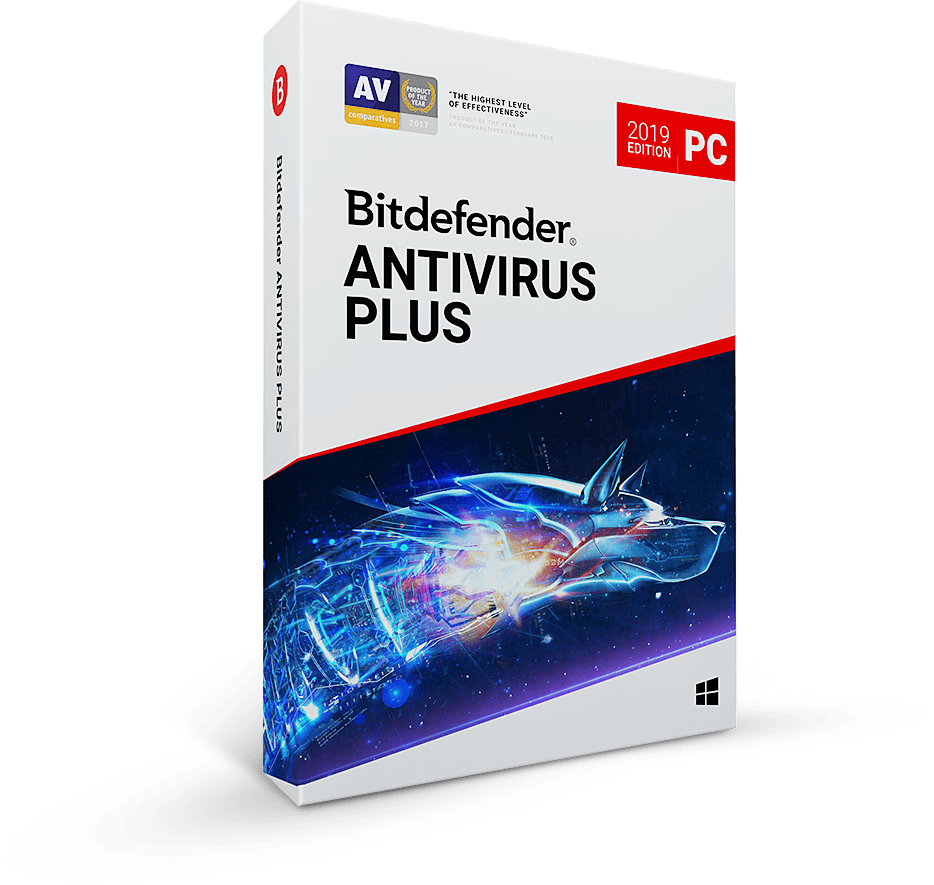
Detection: consistently the highest or near-highest in AV-Test and AV-Comparatives rounds. Bitdefender has historically led the category on pure detection.
Performance: very light footprint. Bitdefender's Autopilot mode and adaptive scanning minimize user-facing impact. RAM usage and CPU usage are low.
Features:
- Real-time antivirus with anti-ransomware and ransomware rollback
- Web attack prevention
- VPN (limited to 200MB per day unless you upgrade)
- Password manager
- File shredder
- Anti-tracker browser extension
- Webcam and microphone protection
- Parental controls
- Safepay secure browser for banking
Pricing:
- Year one promo: $35 to $45 for Total Security
- Renewal: $94.99/year
Strengths: best detection engine in the consumer category. Safepay (a secure browser sandbox for banking) is genuinely useful. Ransomware rollback feature has saved users real money. Independent labs (AV-Test, AV-Comparatives) have ranked Bitdefender at the top of their detection charts more often than any other consumer product over the past five years.
Weaknesses: the bundled VPN's 200MB/day cap is useless for real VPN use. Two paths if VPN coverage is a priority: upgrade to Bitdefender's Premium VPN tier, or pair Bitdefender's antivirus with a dedicated VPN like NordVPN. Dedicated VPN providers tend to do VPN better than antivirus vendors. The Windows app is clean but not quite as polished as TotalAV.
Best for: users who prioritize detection above all else, or who want a premium-tier consumer antivirus suite that does not cut corners on the security engine.
Top-tier malware detection, ransomware rollback, Safepay secure-banking browser, and webcam protection across Windows, macOS, Android, and iOS. The premium pick for users who want the strongest detection engine in the consumer category.
Get Bitdefender Total Security
3. Norton 360 (best for identity monitoring)
Detection: strong, consistent with other top-tier products. AV-Test scores are near 100 percent.
Performance: historically heavier than competitors, now middle-of-pack. Scan times are moderate. Background footprint is larger than Bitdefender or TotalAV.
Features:
- Real-time antivirus
- VPN with unlimited data
- Password manager
- 50GB cloud backup (on Deluxe tier)
- SafeCam webcam protection
- Parental controls
- Dark Web Monitoring
- LifeLock integration for identity theft protection (higher tier bundles)
Pricing:
- Norton 360 Standard: $39.99 first year, $84.99 renewal
- Norton 360 Deluxe: $49.99 first year, $104.99 renewal
- Norton 360 Advanced (with LifeLock): $79.99 first year, $249.99 renewal
Strengths: best identity theft protection in the consumer category when bundled with LifeLock. Cloud backup is a useful ransomware defense. Brand recognition means family members will not second-guess the choice.
Weaknesses: renewal pricing is steep, particularly on Advanced. Auto-renewal practices have drawn consumer protection scrutiny over the years. The interface, while improved, can feel cluttered compared to TotalAV and Bitdefender.
Best for: users whose main concern is identity theft protection, or who want a comprehensive security-plus-identity bundle from a single vendor.
4. Malwarebytes (best for second-opinion scanning)
Detection: Malwarebytes has historically positioned itself as complementary to traditional antivirus rather than a replacement. Its real-time detection has improved substantially and is now competitive on AV-Test, though it leans toward detecting potentially unwanted programs (PUPs) and adware more aggressively than traditional malware.
Performance: light footprint. Scans are fast. Minimal impact on system resources.
Features:
- Real-time protection
- Ransomware protection
- Anti-exploit
- Browser Guard (browser extension)
- VPN (Premium Plus tier only)
Pricing:
- Premium: $44.99/year for one device
- Premium Plus: $69.99/year for one device
- Multi-device plans available
Strengths: excellent at catching PUPs, adware, and browser hijackers that traditional antivirus sometimes misses. Lightweight. Browser Guard is a solid complementary layer.
Weaknesses: fewer bundled features than the broader security suites. No identity monitoring. No cloud backup. Not a one-stop security product.
Best for: users running alongside another antivirus for second-opinion scanning, or users with light security needs who want a focused product rather than a bundle.
5. Windows Defender (built-in, free)
Detection: strong. Windows Defender has quietly become one of the best-performing antivirus engines in AV-Test scoring. Not the single best, but consistently near the top. For the average user running current Windows 11 with automatic updates enabled, Defender's detection is genuinely competitive with paid products.
Performance: deeply integrated into Windows. No additional footprint to speak of. No ads. No upsells.
Features:
- Real-time antivirus
- Ransomware protection (Controlled Folder Access)
- Windows Firewall integration
- SmartScreen browser and download protection
Pricing: free. Included with Windows.
Strengths: free. Built in. No marketing pressure. No renewal fees. No upsells. Detection is genuinely competitive with paid products.
Weaknesses: no bundled VPN, password manager, or identity monitoring. No cloud backup. No system tuneup utilities. No dedicated phishing protection (SmartScreen helps but is less comprehensive than paid-product phishing tools).
Best for: users who want malware protection without buying a bundle. Users who prefer lightweight over feature-heavy. Users who already have separate subscriptions for VPN, password manager, and identity monitoring and do not want to duplicate.
6. Webroot (for older hardware)
Detection: adequate. Webroot's cloud-first architecture means detection relies on cloud lookup rather than local signature databases. This works well for most threats but can miss novel malware in offline or intermittent-connection scenarios.
Performance: extremely light footprint. Webroot is the lightest antivirus on this list by a wide margin. Install size is under 10MB.
Features:
- Real-time antivirus
- Identity theft protection (higher tiers)
- Password manager
- VPN (additional cost)
Pricing:
- Antivirus: $29.99 first year, $39.99 renewal
- Internet Security Plus: $44.99 first year
- Internet Security Complete: $59.99 first year
Strengths: lightest footprint available. Installs in seconds. Scans in a few minutes. Ideal for very old hardware where other products are too heavy.
Weaknesses: detection is not as strong as the top of the market. Cloud-first architecture means reduced protection when offline. Features are thinner than competitors.
Best for: users on older hardware (Intel 4th-gen or earlier, or any machine where installed software visibly slows the system) who need antivirus without the resource cost.
The honest take on Windows Defender
The antivirus industry's marketing depends on users believing that free antivirus, especially built-in free antivirus, is inadequate. In 2026 this is a harder case to make. Windows Defender is good. For a user running current Windows 11 with automatic updates, no risky download habits, and a reasonable browser setup, Defender alone provides genuine malware protection.
What Defender does not provide: identity monitoring, cloud backup, password management, VPN, or system utilities. If you want those, you either pay for a bundle (TotalAV, Norton) or assemble them from separate products (1Password or NordPass + NordVPN + a backup service).
The math works out to roughly the same price either way. A comprehensive antivirus bundle runs $50-$100 per year. Separate best-of-breed components (password manager + VPN + backup service) run $80-$150 per year and give you better individual tools.
If you are happy with Defender's detection and prefer best-of-breed components, that is a legitimate approach and not worse than buying a bundle. If you want a single subscription that does the whole stack with one control panel, bundles like TotalAV and Norton are the cleaner answer.
Quick decision guide
If you want the best value in year one: TotalAV at its first-year promo price.
If you want the best detection regardless of cost: Bitdefender Total Security.
If you want identity monitoring as a core feature: Norton 360 Deluxe or Advanced.
If you already have another antivirus and want a second-opinion scanner: Malwarebytes.
If you want to stay free and are willing to assemble separate components: Windows Defender plus a standalone password manager (like NordPass) and VPN (like NordVPN).
If you are on older hardware where every megabyte of RAM matters: Webroot.
What not to buy
Avast and AVG. Owned by Gen Digital (same parent as Norton). Detection is fine; the reputational problem is that Avast was caught in 2020 selling user browsing data through a subsidiary, which is the exact opposite of what an antivirus should be doing. The company paid fines and changed practices. I still would not recommend them over alternatives.
Kaspersky. Detection is technically strong. US regulators banned Kaspersky for federal government use in 2024 due to concerns about Russian state influence. The ban does not apply to consumer purchase, but the geopolitical risk is enough to steer most US consumers elsewhere. For non-US users, the calculus differs.
Unknown free antivirus products. The business model for an unknown free antivirus is almost always one of: selling data, injecting ads, operating as spyware. Stick with legitimate paid products, free tiers from legitimate paid providers, or Windows Defender.
The bottom line
Antivirus in 2026 is a mature category with multiple legitimate options. The wrong move is to skip antivirus entirely. The second-wrong move is to pay for aggressive marketing with a thin product. The right move is to pick a legitimate option based on your specific priorities and budget, enable automatic updates, and keep the subscription current.
For most readers, TotalAV at its first-year promotional price is the cleanest value. For those prioritizing detection above all else, Bitdefender. For those wanting identity protection bundled in, Norton. For those happy with Windows Defender, Windows Defender.
None of these choices are wrong. All of them are better than nothing.
Further reading
The AV-TEST Institute's Windows consumer antivirus test results are the independent detection-rate benchmark that every serious review should cite. Every product discussed here has been tested there. Read the methodology before comparing scores.
Frequently Asked Questions
Is Windows Defender good enough on its own in 2026?
For many users, yes. Defender now scores near the top in AV-Test and AV-Comparatives detection rounds, it is built into Windows 11, and it carries no ads or renewal fees. What it does not include is a VPN, password manager, identity monitoring, or cloud backup. If you want those, you either buy a bundle or assemble standalone tools.
What is the best antivirus for most home users?
For most households, TotalAV at its first-year promotional price is the cleanest value because it pairs a strong detection engine with useful bundled utilities. If detection alone is the priority, Bitdefender Total Security is the strongest pick. If identity monitoring matters most, Norton 360 is the better fit.
Do I need antivirus if I already have a VPN?
Yes. A VPN and an antivirus solve different problems. A VPN encrypts your connection and hides your IP, but it does not scan or block malware on your device. Antivirus detects and removes malicious files. The two are complementary layers, not substitutes for each other.
Why are antivirus renewal prices so much higher than the first-year price?
Most consumer antivirus vendors discount the first year heavily to win the sale, then charge the full list price at renewal. The renewal is the real long-term cost, so factor it in before subscribing. You can often re-quote at a promotional rate by cancelling auto-renewal and re-purchasing, though terms vary by vendor.
Should I run two antivirus products at the same time?
Generally no. Running two real-time antivirus engines at once can cause conflicts and slowdowns. The exception is an on-demand second-opinion scanner like Malwarebytes, which is designed to run alongside another product without taking over real-time protection. The U.S. government's CISA guidance on malware protection is a useful non-commercial reference for baseline practices.
Related threat playbooks
- TotalAV vs Norton AntiVirus: Which Catches More Malware. A head-to-head on the two most-searched mainstream antivirus products.
- Your Password Just Leaked. Your 4-Hour Response Plan.. What to do in the first hours after a data breach notification.
- Do I Actually Need a VPN? An Honest Framework.. A VPN is complementary to antivirus, not a substitute. Here is when it matters.
247plan covers VPN, antivirus, password managers, and cybersecurity tools from a working engineer's perspective. More guides at https://247plan.net.